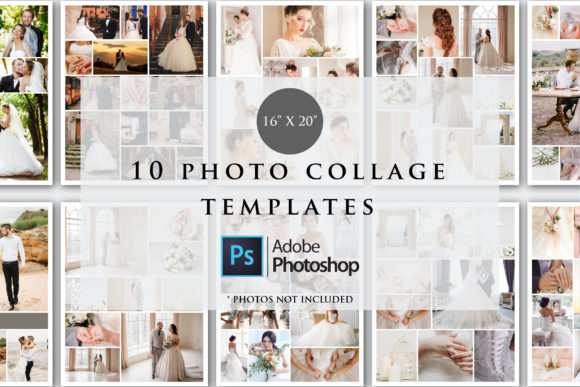
Master Visual Storytelling with 16x20 Photo Collage Templates
Crafting a compelling visual narrative often goes beyond a single snapshot. Whether you are an entrepreneur curating a brand story, a photographer presenting a portfolio, or a family archiving memories, the layout defines the impact. This is where high-quality design assets become invaluable. The 16x20 Photo Collage Templates offer a robust solution for creating gallery-worthy displays without starting from scratch. These templates are designed specifically for Adobe Photoshop, providing a professional framework for arranging multiple images into a cohesive, large-format piece.
The Anatomy of a Professional Layout
At its core, this collection consists of 10 distinct PSD files. Each file is engineered for a final output of 16 by 20 inches at a resolution of 300 DPI. This specification is crucial for anyone involved in print design. A 16x20 inch canvas is a standard size for framing and wall art, but 300 DPI ensures that the details remain crisp and clear when printed. You won't encounter the pixelation issues often associated with lower-resolution web graphics scaled up for physical products.
The files operate in RGB color mode. While CMYK is the traditional standard for offset printing, RGB is the native language of digital displays and is fully compatible with modern high-end inkjet printers and professional photo labs. This ensures the widest gamut of colors, particularly vibrant blues and greens, which can sometimes look muddy in CMYK conversions. The templates serve as a sophisticated skeleton; they provide the structure—margins, spacing, and grid alignment—while you provide the soul through your imagery.
Strategic Applications for Creatives and Brands
For small business owners and marketers, consistency is the currency of brand identity. A well-designed collage does more than just display photos; it organizes information. Consider a real estate agent needing to showcase the best features of a property, or a restaurant owner highlighting a new menu. Using these 16x20 Photo Collage Templates allows you to maintain a consistent visual language across all your marketing materials.
Here is how different professionals can leverage these assets:
- Photographers: Create "Best of" session prints for clients. Instead of handing over a USB drive of loose files, offering a curated collage print adds immense value to your packages.
- Graphic Designers: Use the templates as a starting point for editorial design or packaging design mockups. The 16x20 ratio can be adapted for mood boards or client presentations.
- Content Creators & Bloggers: While the output is large, the compositions can be cropped down for social media graphics. A single 16x20 design can yield multiple square or vertical crops for Instagram or Pinterest, ensuring a unified aesthetic.
- Hobbyists & Crafters: From wedding anniversaries to vacation recaps, these templates simplify the process of creating wall art. You don't need to understand complex grid theory; the balance is already calculated for you.
Customization and Workflow Efficiency
One of the main advantages of using PSD files is the layer-based workflow. These templates utilize Photoshop clipping masks. This means you simply place your image above the designated shape layer and "clip" it, allowing your photo to take the exact shape of the frame without destructive cropping. You can zoom in, pan around, and adjust the focal point of the image within the mask until it looks perfect.
It is important to note the technical requirements. These files are optimized for Photoshop CC. They rely on features and layer structures that are not available in basic mobile editing apps or generic online collage makers. If you are serious about design quality, having access to the desktop version of Photoshop is non-negotiable. Additionally, because the files are compressed (zipped) to save storage space and ensure faster download speeds, you will need utility software like WinZip or WinRAR to extract them before you can begin working.
Design Principles in Action
What makes a collage feel "premium" rather than cluttered? It usually comes down to negative space and alignment. Amateur collages often feature photos bumping up against one another with inconsistent borders. The 16x20 Photo Collage Templates solve this by enforcing strict margins and gutters (the space between images). This creates a visual hierarchy that guides the viewer's eye across the page.
When customizing these templates, think about the narrative flow. Place your strongest image in the largest focal point of the grid. Use the smaller slots for supporting details or texture shots. For example, in a wedding collage, the large slot might be the couple's portrait, while smaller slots capture the rings, the venue, and the cake. This variety keeps the viewer engaged longer than a single image would.
Practical Tips for Best Results
To get the most out of these design assets, consider the following workflow recommendations:
- Curate First: Before opening Photoshop, select the 10-15 best photos you want to use. Editing them for color consistency (white balance and exposure) in Lightroom or Camera Raw beforehand will make the final collage look much more professional.
- Resolution Matters: Even though the template is set to 300 DPI, ensure your source photos are high-resolution. If you try to place a small web image (72 DPI) into a large print frame, it will look blurry.
- Color Coordination: Since the color mode is RGB, you have the freedom to play with vibrant filters. However, ensure the colors in your photos don't clash with the background color of the template.
- Export Settings: When saving the final file for print, consult your specific printer's guidelines. While the file is RGB, some commercial printers prefer specific file formats like TIFF or high-quality JPEG.
Ultimately, these templates are about removing friction from the creative process. They provide the structure so you can focus on the storytelling. Whether you are creating a gift for a loved one or a display piece for a trade show booth, the 16x20 Photo Collage Templates provide the professional polish needed to make your images stand out.