Organize Your Next Big Event With Digital Event Planner Canva Templates
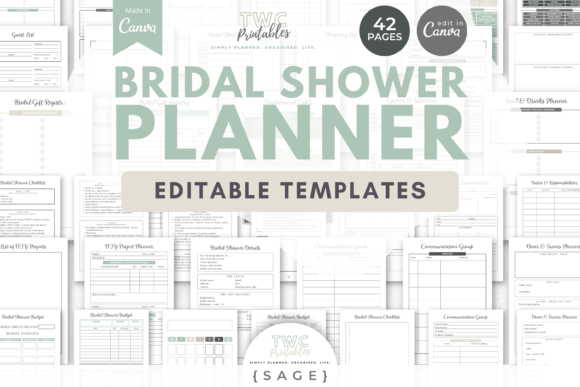
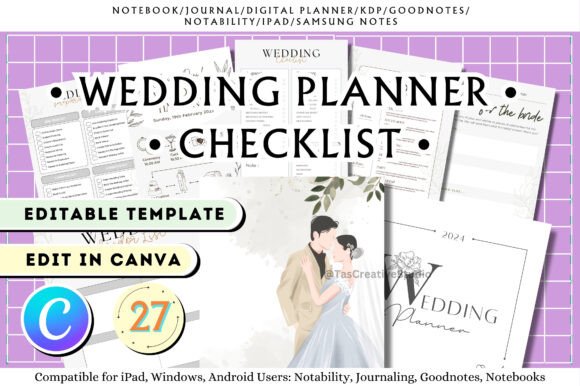
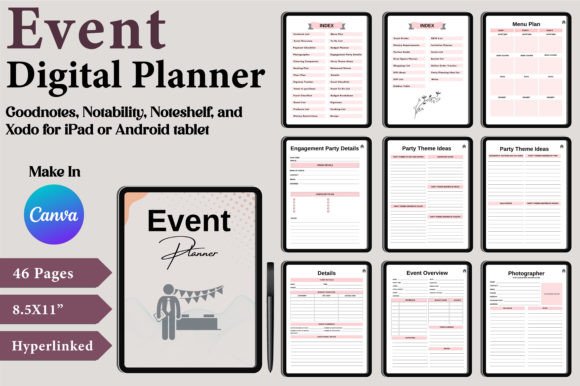
Planning an event, whether it's a corporate conference, a dream wedding, or a milestone birthday, often feels like juggling a dozen different spreadsheets, notebooks, and apps. The sheer volume of details—from guest lists and seating charts to vendor payments and dietary needs—can quickly become overwhelming. This is where a centralized, visually cohesive system changes everything. The Digital Event Planner Canva Templates offer a solution that moves beyond simple checklists, providing a comprehensive suite of interconnected documents designed to bring clarity and calm to the chaos of event management.
This isn't just a collection of files; it's a dynamic project hub. Built within Canva's accessible platform, the templates blend the practicality of a project manager with the polished aesthetic of a professional designer. The visual style leans towards clean, modern typography and a well-organized layout, ensuring that information is not only easy to find but also pleasant to review. The overall appeal lies in its dual nature: it functions as a robust operational tool while simultaneously serving as a creative canvas, allowing you to infuse your event's unique personality into every page.
A System Built for Real-World Event Management
The true value of this planner lies in its thoughtful structure. It acknowledges that successful event planning is a linear process with interconnected parts. The hyperlinked index is the control center, allowing you to jump seamlessly between the high-level Event Overview and the granular details of the Expense Tracker or Portion Guide. This interconnected design mirrors how a professional event planner's mind works, ensuring that a decision in one area—like finalizing the guest count—immediately informs the next, such as updating the catering order and seating plan.
Practically, this means no more hunting for that one note about the photographer's second shooter or the specific wine selection for the rehearsal dinner. Every checklist, from the Event To-Do List to the Online Order Tracker, lives in one accessible, cloud-based location. The inclusion of specialized pages like the Oven Space Planner for a DIY catering situation or the Kiddies Table setup guide shows a deep understanding of the nuanced challenges organizers face. It’s a system that scales, equally adept at managing a cozy dinner party or a large-scale corporate retreat.
From Functional Document to Brand Asset
While the primary goal is organization, the Digital Event Planner Canva Templates also serve as a powerful branding tool. For entrepreneurs, marketers, or content creators hosting a branded event, consistency is key. This template suite allows you to apply your brand's color palette, logo, and specific typeface choices across every single planning document. The Invitation Planner can directly inform the design of the final invite, while the Party Theme Ideas page can solidify the visual direction for all promotional materials.
This transforms internal planning documents into extensions of your brand identity. When you share a vendor brief or a seating chart with your team, it carries the same professional sheen as your public-facing social media graphics or web design. The clean sans-serif fonts used in the templates ensure maximum readability for dense information like contact lists and budgets, while the ample white space creates a clear visual hierarchy. This prevents critical details from getting lost and elevates the perception of your event's organization from the very first glance.
Practical Guidance for Maximizing Your Planner
Getting started is straightforward, but a few best practices will ensure you get the most out of this design asset. First, heed the important note: immediately make a copy of the template in your own Canva account. This preserves the original link and gives you a dedicated workspace. Think of the provided files—the high-quality PDFs, JPGs, and editable Canva links—as your master blueprint. The PDFs are perfect for final, print-ready versions, like a physical budget breakdown for your records or a guest list to hand to your venue coordinator.
The editable Canva links are where the real customization happens. Don't just fill in the blanks; use Canva's tools to adapt the templates to your workflow. Adjust the color-coding on your checklists for different event phases. Duplicate the Recipe or Gift Ideas pages as needed. Experiment with font pairing if you wish to change the mood—perhaps swapping the clean sans-serif for a more elegant serif for a wedding planner. The key is to treat it not as a static form but as a living document that evolves with your event. By centralizing your planning in this visually coherent and logically structured system, you replace stress with strategy, ensuring every detail is accounted for and your event unfolds with seamless professionalism.