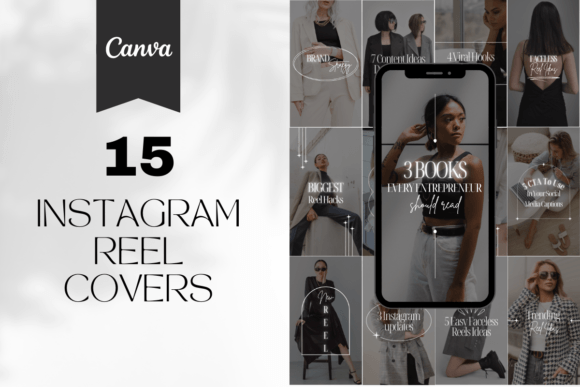
15 Instagram Reel Canva Templates to Boost Engagement
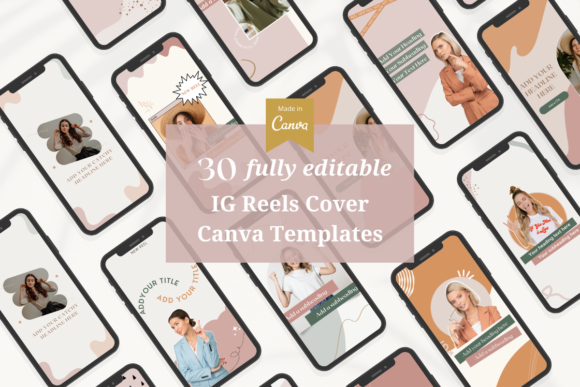
In the fast-paced world of short-form video, consistency is the bridge between a casual viewer and a loyal follower. While the content of your video is king, the "cover" or thumbnail is the gatekeeper. If your grid looks chaotic, potential subscribers might scroll right past. That is where the right design assets come in. I have found that using a cohesive set of Instagram Reel Covers Canva Templates is the most effective way to maintain a professional brand identity without spending hours in complex software like Photoshop.
The Strategic Role of Visual Consistency
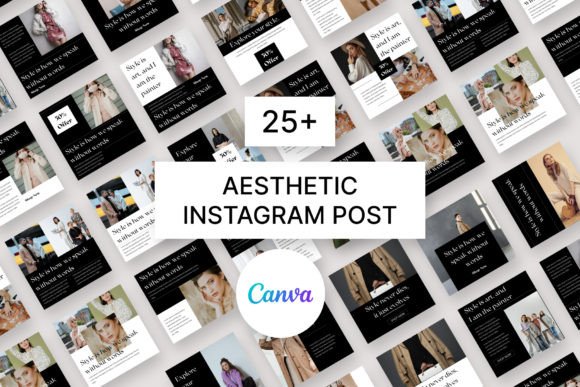
When you are building a brand, whether you are a small business owner, a crafter, or a digital marketing agency, your visual hierarchy matters. Think of your Instagram grid as a piece of editorial design. If every cover looks different—random fonts, clashing colors, chaotic layouts—it creates visual noise. By utilizing a premium font style and a consistent template structure, you create a "visual anchor." This allows your audience to instantly recognize your content in a crowded feed.
These specific templates are designed to act as a silent brand ambassador. They are not just random squares; they are carefully crafted to guide the viewer's eye. The appeal lies in their balance. They provide enough structure to look professional but leave enough negative space for you to inject your personality. Whether you prefer a minimalist aesthetic with a clean sans serif font or a more organic vibe with a handwritten font, the right template bridges the gap between amateur posting and professional publishing.
Customization: Making the Template Your Own
One of the biggest misconceptions in web design and social media management is that templates make you look generic. That is only true if you do not customize them. The beauty of these design assets is that they are fully editable on the free version of Canva. You do not need a premium subscription to make these look unique to your brand.
Here is how I recommend approaching the customization process to maximize engagement:
- Typography and Brand Identity: Do not just stick with the default text. Swap the font out for one that matches your existing brand identity. If your logo uses a bold serif font, apply that to the headlines of your Reel covers. If your brand is playful, consider swapping in a script font. This ensures that your Instagram presence matches your website and other packaging design elements.
- Color Psychology: Background colors are not just decoration; they are emotional triggers. If you are a wellness blogger, swap the background for muted pastels. If you are a fitness coach, high-contrast colors might work better. The templates allow you to change the background color instantly, which is crucial for maintaining a cohesive color palette across your grid.
- Imagery and Logo Placement: You can easily add your own images to create a "preview" of the video content, or keep it text-heavy for a cleaner look. Adding your logo is essential for brand recall. Even a small, subtle logo placement in the corner reinforces your identity without cluttering the design.
Where These Templates Shine: Real-World Applications
The versatility of these Instagram Reel Covers Canva Templates extends beyond just video thumbnails. Because they are high-resolution (1080x1920 px), they are versatile assets for various creative projects. Here is where they work best:
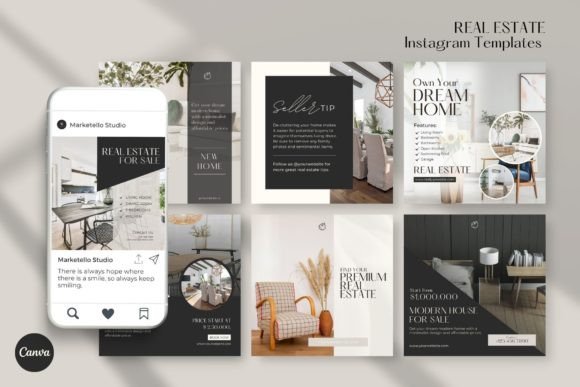
For content creators and marketers, these are essential for "curating" the grid. If you post a mix of static images, carousels, and Reels, using these templates helps unify disparate content types into a single, cohesive narrative. For entrepreneurs and small business owners, the benefit is time. Instead of agonizing over layout and spacing for every single post, you simply open Canva, update the text, and export. It streamlines your workflow significantly.
Furthermore, these templates influence how your audience perceives your professionalism. A polished grid signals that you take your business seriously. It builds trust before the user even clicks play on the video. It is a subtle form of modern typography application—using type and layout to build authority.
Practical Tips for Implementation
To get the most out of these templates, you need to think like a designer, even if you aren't one. Here is some practical guidance:
- Evaluate the Hierarchy: Look at the template and ask, "Where does my eye go first?" Usually, it should go to the main topic of the Reel. If the template has too much decorative noise, simplify it. Remove elements that do not serve a purpose.
- Font Pairing: If the template uses two fonts, make sure they contrast well. A common strategy is pairing a bold display font for the title with a clean, legible sans-serif for the subtitle. Avoid using two script fonts or two heavy bold fonts together, as this reduces readability.
- Readability on Mobile: Remember, most users will view these on a phone screen. Keep your text large and punchy. Avoid long sentences. "5 Tips for Better Skin" is better than "Here are some tips I have for you regarding skincare."
- Consistency is Key: Choose a specific color scheme from the templates and stick to it for at least a month. This allows you to batch your content creation. You can create 15 covers at once, ensuring they all look related when placed next to each other on your profile.
Ultimately, these Instagram Reel Canva Templates are about removing friction from the creative process. They allow you to focus on what you do best—creating the video content—while ensuring the packaging looks just as good as the product inside. Whether you are a crafter sharing tutorials or a strategist sharing industry insights, a cohesive visual presentation is the first step in growing your audience.